
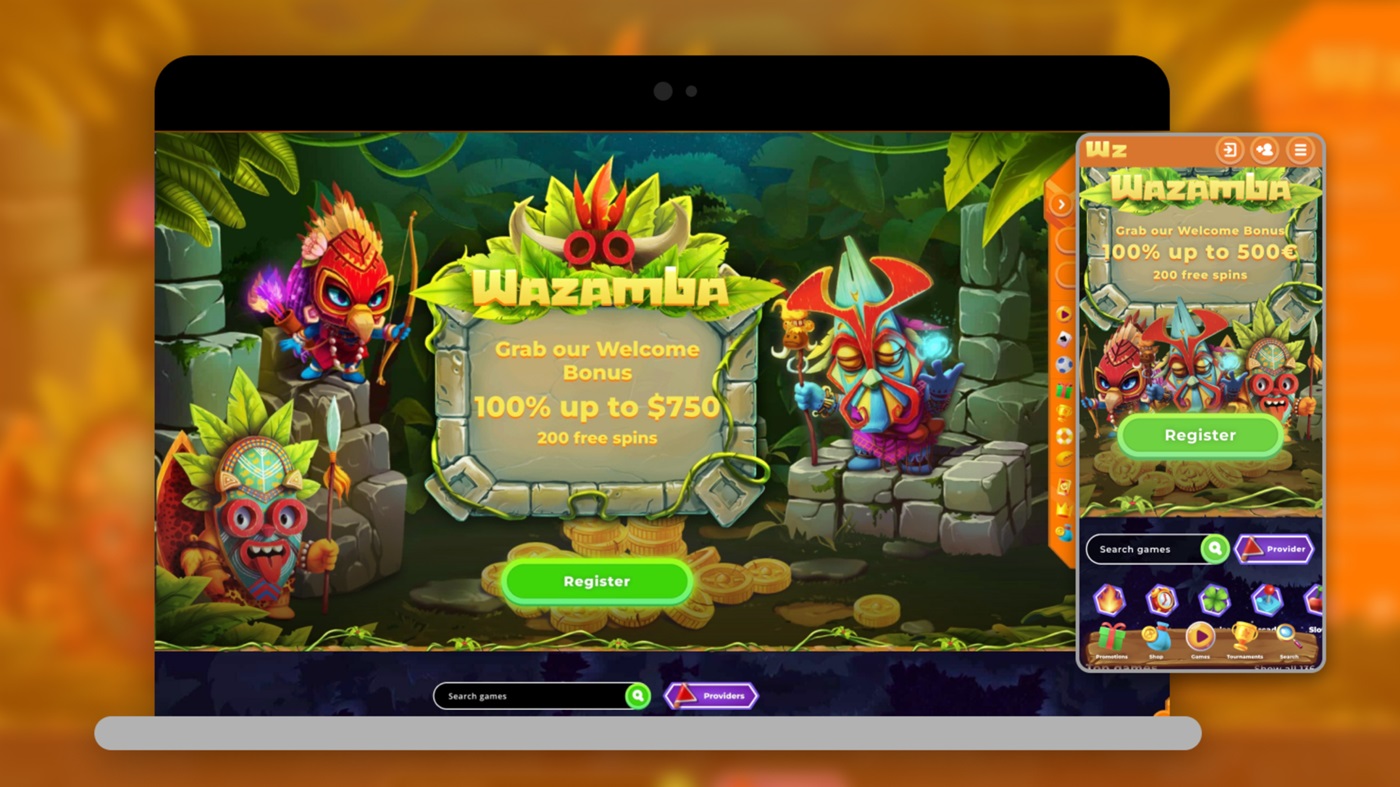
Maintaining your Wazamba Kaszinó tag bejelentkezés Casino account safe starts with something seemingly basic: regularly updating your login password. I’ve guided many players through this process, and while it takes only a couple of minutes, doing it correctly prevents a surprising number of issues later. Maybe you just signed up and need to substitute the temporary password that came by email. Or you noticed a login attempt you don’t recognize. Or you’re simply practicing good digital hygiene. Whatever the reason, the steps remain identical. I’ll guide you through the whole process, from locating the password change feature inside your account dashboard to dealing with verification prompts and what to do when you can’t remember your current credentials. I’ll also clarify how password changes relate to Wazamba Casino’s broader security configuration, including email confirmations and optional two-factor authentication. By the end, you’ll have a straightforward plan that takes away the guesswork from securing your account, no matter your location.
Reasons Changing Your Wazamba Casino Password Periodically Counts
I always remind players: a static password is a liability, not an benefit. Online casino accounts hold confidential personal information, payment method details, and sometimes a amount you’ve accumulated over weeks of play. If that particular string of characters gets leaked through a data breach on another site where you shared it, your Wazamba Casino account becomes an obvious target. Changing your password regularly limits the window of opportunity for anyone who might have gained your credentials without your awareness. It also encourages you to audit your own security habits: when you change your password, you’re naturally reminded to confirm whether your registered email address is still accessible and whether any strange devices are listed in your account activity.
From a functional standpoint, Wazamba Casino’s platform handles a password change as a trust reset. I’ve noticed that after a effective password update, the system often invalidates existing login sessions on other devices, which means if someone else was secretly logged in, they’ll be removed immediately. That alone is worth the two minutes it takes. If you’ve ever spoken with customer support about a security concern, the first thing they’ll want to know is whether you’ve changed your password recently. Making it a habit, say every 60 to 90 days, keeps you ahead of potential issues and shows the platform’s risk monitoring that you’re an active, careful account holder. It’s a small ritual that pays off in peace of mind.
Accessing the Change Password Option: Sign-In and Account Dashboard
To change your password, you must be inside your account, and that means performing the usual login flow at Wazamba Casino. Open the casino’s website and click the noticeable login button, usually located in the top right corner of the homepage. Input the email address you registered during registration and your current password. If you’ve enabled two-factor authentication (something I’ll explain in detail later), you’ll be required for a time-based code from your authenticator app or a code provided via SMS, based on your setup. Once verified, you’ll land on the main lobby. From there, look for an account icon, often shaped like a person or a gear, which opens your personal profile area. I’ve observed some players accidentally click on the deposit or cashier section, but the password settings live under a distinct “Account,” “Profile,” or “Security” tab.
In the account dashboard, the layout is designed to be user-friendly. You’ll typically find sections for personal details, payment methods, bonus history, and security settings. The password change option is usually inside the security or login details subsection. Selecting it displays a specialized form that asks for your current password, a new password, and a confirmation of that new password. I recommend pausing here to make sure you’re on a real Wazamba Casino page: verify the URL for the correct domain and the padlock icon in your browser’s address bar. If anything appears wrong, do not go ahead; rather, contact support at once. The complete process from login to reaching the password change form should last less than a minute once you understand where to click.
Identity Confirmation Requirements When Changing Security Credentials
Many players are astonished to discover that a simple password change can sometimes trigger a verification request, especially if the platform’s automated risk engine identifies the activity as unusual. Wazamba Casino, like all reputable operators, must follow know-your-customer (KYC) and anti-money laundering regulations. While a routine password update from your usual device and IP address rarely causes friction, certain scenarios, such as changing the password immediately after a large withdrawal request, logging in from a new country, or modifying the registered email address at the same time, can prompt a request for identity documents.
When verification is necessary, you’ll typically be required to upload a clear, colour copy of a government-issued photo ID (passport, national ID card, or driver’s licence) and a recent utility bill or bank statement that shows your name and address. In some cases, the casino may also ask for a selfie holding your ID or a photo of the payment method you’ve used. I always suggest having these documents ready in digital format before you initiate any account changes, because the review process can take anywhere from a few hours to a couple of business days. During that period, your ability to withdraw funds might be temporarily suspended, though you can usually continue playing. Verification isn’t a punishment; it’s a protective measure that verifies you, and only you, are the one altering security settings. Cooperating promptly returns you to full functionality faster.
Detailed Guide to Resetting Your Login Password
I’ll now walk you through into a clear sequence so you can follow along without hesitation. First, verify you’re using a safe internet connection (avoid public Wi-Fi if you can) and that you have access to the email account associated with your Wazamba Casino profile, because you may need to confirm the change. Start by signing in as described, then go to the security settings. The exact labels might change slightly depending on whether you’re using the desktop site or the mobile version, but the core flow remains the same. When you open the password change form, you’ll see three fields: current password, new password, and confirm new password.
- Input your existing password in the first field. If you’re unsure of it, stop here and use the “Forgot Password?” link instead — I’ll cover that recovery path in the next section.
- Create a brand-new password in the second field. Make it secure by combining uppercase and lowercase letters, numbers, and symbols. Avoid patterns like “1234” or your name.
- Type again the same new password in the confirmation field to prevent typos.
- Click the “Save” or “Update Password” button. At this point the system may deliver a verification email to your registered address. Access that email and click the confirmation link to finalize the change.
- Once confirmed, log out and log back in using the new password to verify everything works.
I’ve seen cases where players miss the email confirmation step because the link ended up in the spam folder. If you haven’t received the message within a couple of minutes, check your junk or promotions tab. The confirmation link usually expires within an hour, so act quickly. After the change is complete, I strongly recommend logging out of all other devices if the platform doesn’t do it automatically; you can often see a “Log out of all sessions” option in the same security menu. This extra step ensures that even if someone had an old session token, they’ll be obliged to re-authenticate with the new password.
Typical Password Change Difficulties and How to Solve Them
Even a carefully built system can present obstacles, and I’ve fielded countless questions about why a password change was unsuccessful. The primary culprit is a difference between the new password and the confirmation field. The platform requires an exact match, and even an unseen trailing space can cause a rejection. If you’re using copy-paste, try entering both entries manually instead. Another common snag is the “current password is incorrect” error. This typically means you’ve entered incorrectly your existing password, but it can also show up if your account was already locked due to multiple failed login attempts. In that case, wait 15 to 30 minutes before trying again, or use the password reset flow to restart.
Email problems are a further major category. If you don’t receive the confirmation or reset email, at first check all folders, including spam and promotions. Add to allowlist the casino’s sender address to prevent future messages from being filtered. If the email still doesn’t come, it’s possible that your email provider is quietly rejecting it, or that the email address on your account is no longer current. When you can’t resolve the issue on your own, getting in touch with Wazamba Casino’s live chat support is the fastest route. The support team can authenticate your identity through other means and initiate manually a password reset or change your contact email after a comprehensive security check. I’ve found that having your account registered phone number and a copy of your ID ready speeds up this process greatly.
- “New password not accepted” error: Confirm your password satisfies the length and complexity requirements. Eliminate any spaces and refrain from using characters the system might not support, such as certain accented letters.
- Confirmation link expired: Submit a new password reset email. The links are intentionally short-lived for security; just restart the process.
- Account locked after multiple attempts: Stay for the automatic lockout period to expire, then utilize the “Forgot Password?” link instead of guessing.
- 2FA code not working: Sync the time settings on your authenticator app, as a clock drift of even 30 seconds can make unusable codes.
By expecting these hurdles, you can solve them in minutes rather than letting frustration build. I always advise players to approach password changes with patience and to double-check each field before submitting. If the problem persists, the support team is ready to handle edge cases that the self-service tools cannot, so don’t hesitate to reach out.
Steps to Take If You Forgot Your Current Password
Misplacing a password is more usual than most people admit, and Wazamba Casino has a straightforward recovery mechanism integrated into the login screen. When you’re on the login page, look for the “Forgot Password?” or “Reset Password” link (it’s usually placed just below the password field). Clicking on it will bring you to a recovery form that requires the email address tied to your account. Enter it carefully; a single typo will deliver the reset instructions to the wrong inbox or no destination. After you send the form, the system sends an automated email containing a unique, time-sensitive reset link.
- Click the “Forgot Password?” link on the login page.
- Enter the email address you used to register your Wazamba Casino account.
- Check your inbox for a message from Wazamba Casino. If it does not show up within five minutes, check your spam, junk, and promotions folders.
- Access the email and click the reset link. This will direct you to a secure page where you can establish a new password.
- Select a strong new password, confirm it, and submit the form. You’ll typically receive a confirmation that the reset was completed.
- Navigate to the login page and log in with your new credentials.
One nuance I consistently note is that the reset link is tied to your account’s security state. If you have two-factor authentication activated, you may still need provide a valid 2FA code after resetting the password during the login attempt. The reset process itself does not turn off 2FA; it simply updates the password. If you no longer have access to the email account on file, the self-service recovery won’t work, and you’ll have to reach out to customer support immediately. In that scenario, be ready to prove your identity through additional verification steps, which I’ll describe shortly. The support team can change manually your email after a thorough ownership check, but this takes longer than the automated reset.
Setting up a Robust and Easy-to-Remember Password: Top Practices
A password change is only as good as the new password you select. Over the years I’ve witnessed too many players go through minor variations of the same weak phrase, which negates the benefit entirely. At Wazamba Casino, your password ought to be at least eight characters long, but I suggest aiming for twelve or more. It should contain a mix of uppercase letters, lowercase letters, numbers, and special symbols such as !, @, or #. Steer clear of using easily guessable information like your birth date, your pet’s name, or the word “password” itself. The goal is to create something that is hard for an attacker to break but still workable for you to retrieve without writing it on a sticky note.
- Use a passphrase made of four or five random, unrelated words — for example, “coffeeTiger7$Lamp” — which is long and simpler to remember than a jumble of characters.
- Integrate deliberate misspellings or substitutions, such as replacing “a” with “@” or “e” with “3”, but don’t depend exclusively on them because automated tools look for them.
- Never reuse a password you’ve already used on Wazamba Casino or any other service; a unique password contains the blast radius if another site is compromised.
- Consider using a reputable password manager to generate and store complex passwords securely, so you need only to remember one strong master password.
- Stay clear of sequences that follow keyboard patterns like “qwerty” or “1qaz2wsx” — these are among the first guesses in brute-force attacks.
After you’ve developed a suitable password, test it by logging out and logging back in immediately. If you’re using a password manager, verify that it captured the new credential correctly. I also recommend setting a calendar reminder to refresh your password every few months. Combining this habit with 2FA creates a formidable barrier that protects your funds and personal data. információs központ Bear in mind, the few extra seconds you spend in creating a strong password now can spare you days of stress if your account ever comes under attack.
Enabling Two-Factor Authentication for Additional Protection
While resetting your password is a vital first line of defense, I consider two-factor authentication (2FA) the solely most effective security upgrade you can perform on your Wazamba Casino account. 2FA introduces a second layer of verification beyond your password, ensuring even if someone tries to obtain or guess your login credentials, they will be unable to access your account without the specific, time-limited code produced by your authentication method. Wazamba Casino typically supports app-based authenticators like Google Authenticator or Authy, and in some areas SMS-based codes may also be available. I personally suggest using an authenticator app because it doesn’t rely on your mobile carrier’s network and works even when you’re offline.
To set up 2FA, access the same security settings section where you update your password. Look for a “Two-Factor Authentication” or “2FA” toggle. When you turn on it, the system will display a QR code or a manual setup key. Open your authenticator app, scan the code, and the app will begin generating six-digit codes that refresh every 30 seconds. You’ll be prompted to provide a current code to validate the setup. After that, every log-in will need your password plus the current code from the app. I also suggest storing the backup recovery codes that the casino gives during setup. Store them in a safe, offline location. These codes let you to recover access if you forget your phone. With 2FA active, a password change on its own won’t endanger your account, which significantly raises your security level.
Časté dotazy
Can I update my password without my registered email?
If you no longer have access to the email address tied to your Wazamba Casino account, you cannot complete the automated password reset because the confirmation link is sent there. Contact customer support directly using live chat or email. Be ready to prove your identity by providing a government-issued photo ID, proof of address, and possibly details about recent transactions. Once the support team verifies you as the legitimate account owner, they can update your registered email address and then assist you in setting a new password.
How long does it take to receive the password reset link?
In most cases the password reset email arrives within one to two minutes. If it hasn’t appeared after five minutes, check your spam, junk, and promotions folders thoroughly. Email delivery can occasionally be delayed by your provider’s filtering rules. If you still don’t see it, request a new reset link from the login page. If the problem remains, get in touch with live chat support; they can confirm if the email was dispatched and help resolve delivery issues right away.
Is two-factor authentication required at Wazamba Casino?
Absolutely not, two-factor authentication is currently an voluntary security feature, but I strongly recommend turning on it. While you can log in with just your email and password, adding 2FA significantly reduces the risk of unauthorized access. Even if someone acquires your password, they will not be able to enter your account without the time-sensitive code from your authenticator app. Activating it takes only a few of minutes through the security settings, and it provides an extra layer of protection that is well worth the minor inconvenience during login.
What should I do if I believe someone else accessed my account?
Act immediately. First, update your password using the steps described above, which will log out all active sessions in most cases. Next, activate two-factor authentication if you have yet to already. Check your account’s transaction history and personal details for any unauthorized changes. Then, reach out to Wazamba Casino support to report the incident; they can place a temporary security hold and investigate further. I also advise changing the password on your email account, because if an hacker has access to your email, they could capture future reset links.
Is it possible to reuse an old password after changing it?
From a technical standpoint, the system could allow you to cycle back to a former password, but I firmly advise against it. Going back to old passwords defeats the purpose of changing them in the first place, notably if that password may have been breached without your awareness. Each new password should be unique and not utilized on any other platform. If you have trouble to remember new passwords, a password manager serves as a safe and convenient solution that generates and saves strong, individual credentials for every service you utilize.
Taking control of your Wazamba Casino login credentials is among the most direct ways to protect your leisure and your finances. I’ve shown you precisely how to navigate the password change procedure, restore access when recollection fails, and add additional protections like two-factor authentication. The procedures are easy, but they require discipline. My suggestion is to view password renewals as a regular care task: set a prompt, review your security options, and maintain your recovery email active. If you encounter any problem, the support team stands ready to assist, but with the knowledge you now hold, you’ll most likely resolve most difficulties on your side in within five minutes. A safe account ensures you can concentrate on what you intended: appreciating the games with total peace of mind.